How It Works - Promote Your Event with a Premium Email
Last updated: September 29, 2026
Our Premium Email feature will generate a top-quality email campaign that can be sent to thousands of local, opted-in subscriber email addresses. When your event is live, you will see an option to preview, test, and schedule the campaign. Just choose your audience size, and we will find local emails interested in events and send them to your primary event link.
Schedule a Premium Email
After your event is added to an Evvnt calendar, login and visit the "My Events" page to find the "Promote via email" button (*only available for events with a US zip code). Click the blue button to schedule an email marketing campaign for your event to local email addresses. From our calendar system, you can currently send one email per event with options to customize the subject, body, image, and the scheduled send date and time.
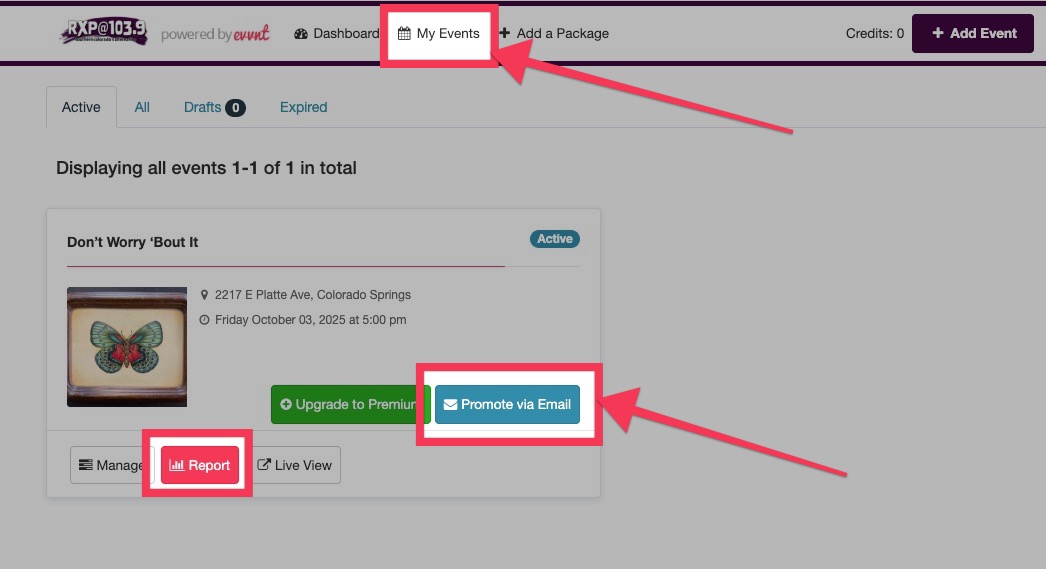
Once your email is scheduled and purchased it will appear on your event report. There you can review the status and statistics regarding the email campaign.
FAQs
Who receives the email? Can I change the target audience?
Subscribers are local consumers who opted in through trusted sources. They’re targeted based on zip code and event category or interest. If you are using our ticketing system then you will see options to enter the zip code and select the interests of the audience. The calendar system will use the zip code of the venue of the event and automatically select interests aligned with the event’s category.
Can I preview the email before sending it?
Yes, you can preview, edit, and send a test to yourself before scheduling the final send.
Can I edit my email after scheduling it?
No. Once it’s paid and scheduled, it cannot be edited in short order. Make sure your info is accurate before finalizing. However, the support team may help with changes if contacted at least 72 hours before the scheduled send date.
How far can the email reach?
The system starts with your event’s zip code and expands outward to meet your selected audience size. The map shown is just an approximation.
What kind of analytics do I get?
After the email is sent, you can track open rates, click-throughs directly from a report on your event dashboard.
What does it cost?
Pricing starts at $120 for 2,000 emails and scales up based on audience size.
Why don’t I see the email promotion option with my event?
Your event must be published with a venue with a U.S. zip code, and have a URL or ticketing link. Without these, the email feature won’t appear. Contact support if you still do not see the option for a premium email.
Can I send emails to my previous ticket buyers?
Our “Premium Email Marketing” tool is to reach new customers and is not for emailing specific people on a list. To market to your previous ticket buyers you can download your attendee emails for use in an external email marketing system like MailChimp or Constant Contact.
Who are the email subscribers?
Our email subscribers are local consumers who have opted in to receive event promotions through trusted sources like online surveys, registrations, and partner websites. Their data is verified for accuracy and compliance to ensure high-quality, targeted outreach. We access a national database of active email addresses that have indicated their interest in receiving promotional emails on specific topics. We will connect your event with people in the area around a US Zip Code you specify and will be sent to the number of people you selected.
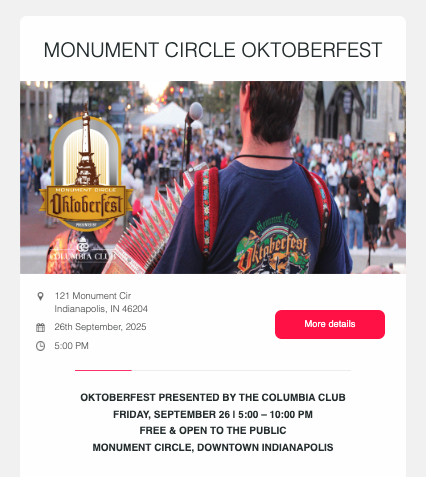
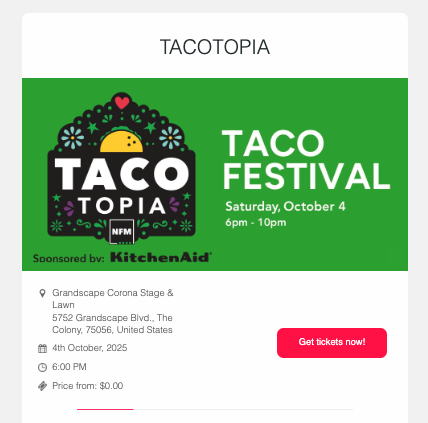
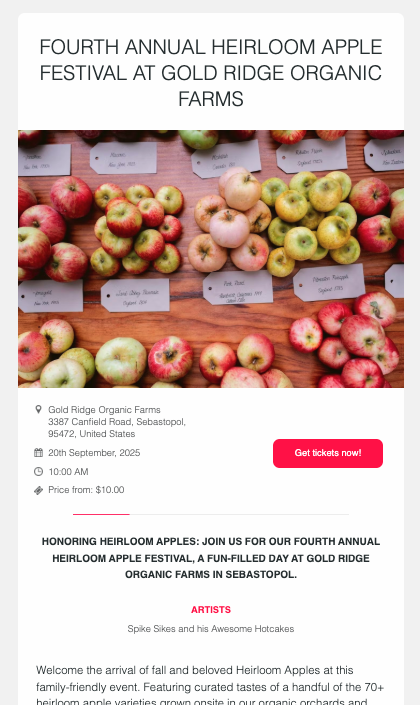
Example Emails